Articles by "Entertainment"

Hiển thị các bài đăng có nhãn Entertainment. Hiển thị tất cả bài đăng

Kore, Official Remote for Kodi v2.0.0
Kore™ aims to be a simple, easy to use and beautiful remote that lets you
control your Kodi® / XBMC™ media center from your Android™ device.


With Kore you can
– Control your media center with an easy to use remote;
– Including several colour themes;
– See what’s currently playing, including relevant information (movies, TV shows, music, pictures and addons);

– Change, sync or download subtitles;
– Switch to the desired audio streams;
– All the usual playback and volume controls at your disposal;
– Toggle back and forth between windows or full screen playback in Kodi
– Add, check and manage the current playlist;
– View what is in your media library with details about your movies, TV shows, music and add-ons;
– Direct link to relevant IMDb website for extensive information;
– Library maintenance like clean and update;
– Wake-on-LAN and other power control actions that the selected device supports;
– Send YouTube videos to your currently selected media center;
– Send text to the instead of using the keyboard in Kodi;
– Switch to live TV channels and trigger recording on your PVR/DVR setup;

Currently not added yet
– Browsing smartplaylists
These features will be added in future versions

Works with
– Kodi 14.x "Helix" and higher;
– XBMC 12.x "Frodo" and 13.x Gotham;

Current supported interface languages
– Basque
– Bulgarian
– Chinese
– Czech
– Dutch
– French
– German
– Italian
– Portuguese
– Portuguese (Brazil)
– Spanish
– Russian

License and development
Kodi® and Kore™ are trademarks of the XBMC Foundation. For further details you can visithttp://kodi.wiki/view/Official:Trademark_Policy


Kore™ is fully Open-Source and released under the Apache License 2.0
Should you wish to help on future development you can do so by visiting https://github.com/xbmc/Kore for code contributions.

Need help or have any problems?
Please visit our forum at http://forum.kodi.tv/forumdisplay.php?fid=129

Images shown on screenshots are Copyright Blender Foundation (http://www.blender.org/), used under a Creative Commons 3.0 License
Kodi™ / XBMC™ are trademarks of the XBMC Foundation

Kore, Official Remote for Kodi / What's New in v2.0.0
v2.0.0
- PVR support
- New animations on transitions from list to details screens
- Added option to play/queue entire album, artist or genre
- Improve library syncing
- Various tweaks
- Bug fixes

Facebook v59.0.0.0.189
Keeping up with friends is faster than ever.

• See what friends are up to
• Share updates, photos and videos
• Get notified when friends like and comment on your posts
• Play games and use your favorite apps

Now you can get early access to the next version of Facebook for Android by becoming a beta tester. Learn how to sign up, give feedback and leave the program in our Help Center: http://on.fb.me/133NwuP
Sign up directly here:
http://play.google.com/apps/testing/com.facebook.katana

Problems downloading or installing the app? See http://bit.ly/GPDownload1
Still need help? Please tell us more about the issue. http://bit.ly/invalidpackage

Facebook is only available for users age 13 and over.
Terms of Service: http://m.facebook.com/terms.php.

Keeping up with friends is faster than ever.

• See what friends are up to
• Share updates, photos and videos
• Get notified when friends like and comment on your posts
• Play games and use your favorite apps

Now you can get early access to the next version of Facebook for Android by becoming a beta tester. Learn how to sign up, give feedback and leave the program in our Help Center: http://on.fb.me/133NwuP
Sign up directly here:
http://play.google.com/apps/testing/com.facebook.katana

Problems downloading or installing the app? See http://bit.ly/GPDownload1
Still need help? Please tell us more about the issue. http://bit.ly/invalidpackage

Facebook is only available for users age 13 and over.
Terms of Service: http://m.facebook.com/terms.php.

WhatAlert Premium v0.0.7.3
WhatAlert gives you an overview and alerts of the activity changes from the selected contacts.

- Online alert
- Profile image change alert
- Profile image log

You will receive a notification as soon as a contact is enabled by you, comes online on whatsapp.

* Profile images will be saved for you to browse trough.
* Calendar overview of activity

- No adds
- Unlimited push/alerts (5m interval)
- 15 Contacts
- 50 Images per contact
- Unlimited Online/Offline backlog

In doubt? try the free version first! Download Free version

When someone has set privacy settings so that the last line is not visible to contacts or others, then whatsapp will not send this data to anyone, so that includes What alert. However, you can use What Alert to find out if someone has blocked you on Whatsapp. For example, if you get notified with an online status from What alert but you see your contact not online at your own Whatsapp.

CM Locker (Secure & Boost) v4.0.0
Highest rated locker on Google Play! ★★★★★

★Customization
- Add an avatar for your password pages
- Choose the best layouts to suit your phone

★Phone Booster
- Boost phone speed by 100% directly from the toolbox

★Save Power
- Clean battery draining apps to extend battery life by 30% (generally)

★Intruder Selfie
- Snap phone peepers after they enter wrong passwords, catch anyone who tries to snoop on your phone

★Notification Reminder
- Quick access to new messages received in IM apps (WhatsApp, Facebook Messenger, Viber, Line, WeChat and more)
- Private mode is also available, hide the content as you like

★Music Control
- Easily control music playback with one-handed operations

■Camera shortcut
- Snap photos fast, never miss a crucial moment

■Handy toolbox
- Flashlight, calculator, recent apps, brightness, etc.

■Weather forecast
- Stay prepared, never get caught out

☆Security
Supported by CM Security (ranked #1 by AV-TEST for 7 times consecutively)

☆Efficiency
Less memory and battery usage, equipped with the Phone Booster of Battery Doctor

☆Lightness
Package is less than 4MB, no more waiting for installation and updates

☆User friendly
People from over 230 countries love it, average rating of 4.7, the #1 lockscreen app in the world!

Permissions
►Contacts/SMS: display calls and messages
►Camera: shortcut to snap photos
►Album: customize your wallpapers
►GPS & Wi-Fi status: deliver local weather information
►Run at startup: protect your device immediately after rebooting

imo free video calls and chat v9.8.00000000027
Message and video chat with your friends and family for free, no matter what device they are on!


- Avoid SMS and phone call charges: Send unlimited messages and make free video and voice calls over your 3G, 4G or Wi-Fi connection
- Make high-quality video and voice calls
- Group chat with friends, family, roommates and others
- Share photos and videos
- Express yourself with hundreds of free stickers!
- Encrypted chats and calls
- Optimized for Android tablets


Message and video chat with your friends and family for free, no matter what device they are on!


- Avoid SMS and phone call charges: Send unlimited messages and make free video and voice calls over your 3G, 4G or Wi-Fi connection
- Make high-quality video and voice calls
- Group chat with friends, family, roommates and others
- Share photos and videos
- Express yourself with hundreds of free stickers!
- Encrypted chats and calls
- Optimized for Android tablets

Message and video chat with your friends and family for free, no matter what device they are on!


- Avoid SMS and phone call charges: Send unlimited messages and make free video and voice calls over your 3G, 4G or Wi-Fi connection
- Make high-quality video and voice calls
- Group chat with friends, family, roommates and others
- Share photos and videos
- Express yourself with hundreds of free stickers!
- Encrypted chats and calls
- Optimized for Android tablets

DU Battery Saver&Phone Charger v3.9.9.9.8.1 Final
DU Battery Saver is a FREE battery saving app that makes your battery last longer, and can help you get up to 50% more battery life for your Android phone! With DU Battery Saver's smart pre-set battery power management modes, one-touch controls and healthy battery charger stage features, you can solve battery problems and extend your battery life.

Why DU Battery Saver (Battery Booster & Battery Charger) is a MUST-HAVE app?


★ Convenient Battery Saver - the "OPTIMIZE" home screen widget allows you to stop power-consumptive background apps with one tap to boost your battery life.
★ Smart Pre-set Modes - choose the mode that fits your battery power usage, or customize to find the right balance of battery life and performance using our battery saver.
★ Phone Cooler - The cool down feature works by systematically monitoring, managing, and disabling CPU-intensive apps in order to reduce phone temperature to a safe level and protect your hardware.
★ Healthy Charging Manager - track and implement healthy charging practices in different stages to keep your battery working its best.
★ Added new Charging Screensaver - Boost charging speed by 20%
★ Accurate Status - smart technology helps you know exactly how much battery charging time you've got left with a detailed analysis of your Android apps and hardware.

DU Battery Saver & Battery Monitor Widget is the simplest and easiest way to keep your Android phone working well when you need it, and protect against poor charging, battery hogging apps, and overlooked device settings that shorten your battery life. Over 400 million users around the world love DU Battery Saver.

Features and Benefits of DU Battery Saver & Battery Charger (Battery Widget & Battery monitor):
► One-Click Optimization: Instantly find and fix battery power consumption problems and unlock detailed settings to fine-tune your energy savings;
► Anytime Optimization: Manage background apps and phone hardware easily with the smart home screen widget;
► Accurate Status: See exactly how much battery charge you have left with a detailed analysis of your Android apps and hardware;
► Smart Pre-set Modes: Choose or customize a mode that fits your energy usage;
► Better Battery Details: View your phone's battery power level by percentage or by time remaining;
► Healthy Charge Stage Manager: Track and implement healthy charging practices in different stages to keep your battery working its best; system to ensure you get the most out of your battery and reminds you not to over charge. It also has features that can monitor and regulate power consumption.
► Widget Included: Our "Task Killer" widget will optimize your power consumption conveniently. The 4x1 widget makes it easier to manage Wifi, Data, Brightness, etc, and set power saving modes.
► Accurately Estimates Remaining Battery Time: Tells how long battery will last under a variety of situations (playing games, wifi on or off, etc)
► Battery Monitor, clearly shows the status of battery life and usage.

DU Battery Saver & Battery Charger FAQ:
Q:What is a Healthy Charge?
A:Healthy Charging is something you should do once a month. Lithium Ion batteries (like the one in your smartphone) need to be discharged (drained) to below 20% of capacity, then charged fully every so often. If you keep your device connected to a charger most of the time, you should be aware that this can damage your battery and shorten its life.

More questions about DU Battery Saver & Battery Booster? Contact us at feedback@duapps.com

Retrica v2.9

The universe is not made of atoms. It is made of memories.
Retrica is a simple photo taking and sharing app with a near infinite combination of live filters, layout, editing, social and secret sharing options. You can shoot the same moment a million ways and share it with the world, that special someone or anyone you want.

Everyday, millions of people everywhere capture and share millions of memories on Retrica with:


Social — Retrica works perfectly with Instagram, Facebook, and other services.
Live Filters — preview your memory before you capture it.
Live Layouts — that let you remember your moment the way you want.
Creative Edits — use blur and vignette to focus and remember what’s important.

Retrica
We Are What We Remember™

—Reviews—

“20 Best Android Apps…” The Guardian
“… if you’re looking for a new photo app that’s loaded with filters, Retrica is the one to download…” Cnet

—Popular Features—

Over 100 real-time filters. Preview your photos before you snap. 
Millions photos taken daily all around the world.

Free — it costs nothing to start shooting with live filters.
Collage — your own mobile photo booth. Choose your layout. Grab a friend or two.
Timer — go handsfree and selfie stick free. Just set and pose.
Social — instantly upload to your favorite social media platforms.
Exposure — set how much light to let in, just like a DSLR.
Secure Photo Messenger — send your private photos directly to a friend.
Random Filter — spontaneously apply a random filter to your photo.

----

This app records precise location data into the EXIF data for JPEG photos users take. This allows users to review the location they have taken the photos in a very precise manner.

Retrica / What's New in v2.9 (Pro)
+ Added 2015-2016 holidays watermarks
+ “Allure” filter pack for selfies added
+ New filter management system is added (favorites and hiding)
+ New filter selections added
+ Supports Spanish, French, Japanese, Chinese & Korean

Photo Collage Maker v1.38
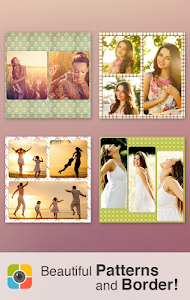
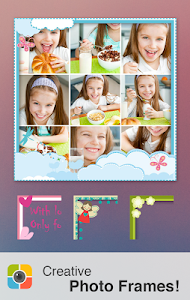
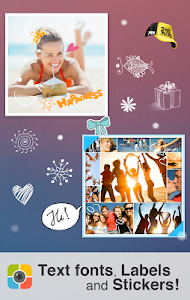
Photo Collage Maker is a powerful collage maker and photo editor for you to create amazing collages using your photos, fun stickers, backgrounds, text with cool fonts and frames. Photo Collage Maker is the best collage maker and photo editor that helps you combine multiple photos with various frame patterns and photo grids, then share them at a time! Photo Collage Maker packs a simple design with a powerful photo editor to give you everything you could, and Collage your photos to be amazing! Photo Collage Maker is an easy-to-use and all-in-one collage maker and photo editor!


Key Features:

  • 120+ types of frames to choose from!
  • Easy to change border colors,BG and patterns!
  • Simple touch gestures to rotate, resize
  • Lots of backgrounds and stickers to choose from!
  • Easy to add TEXT or STICKERS!
  • A full-featured photo editor included!
  • Easy to use UI
  • Amazing photo fx filters
  • Share to social network


Screenshot:


Photo Collage Maker v1.38Photo Collage Maker v1.38Photo Collage Maker v1.38

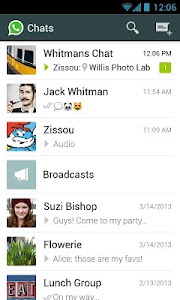
WhatsApp Messenger v2.12.104
WhatsApp Messenger is a messaging app available for Android and other smartphones. WhatsApp uses your phone’s Internet connection (4G/3G/2G/EDGE or Wi-Fi, as available) to message and call friends and family. Switch from SMS to WhatsApp to send and receive messages, calls, photos, videos, and Voice Messages. First year FREE!* (WhatsApp may charge thereafter, current price is $0.99 USD/year).


WHY USE WHATSAPP:

  • NO ADDITIONAL FEES: WhatsApp uses your phone’s Internet connection (4G/3G/2G/EDGE or Wi-Fi, as available) to message and call friends and family, so you don’t have to pay for every message or call.*
  • MULTIMEDIA: Send and receive photos, videos, and Voice Messages.
  • WHATSAPP CALLING: Call your friends and family using WhatsApp for free, even if they’re in another country. WhatsApp calls use your phone’s Internet connection rather than your cellular plan’s voice minutes.* (Note: you can’t access 911 and other emergency service numbers through WhatsApp).
  • GROUP CHAT: Enjoy group chats with your contacts so you can easily stay in touch with your friends or family.
  • WHATSAPP WEB: You can also send and receive WhatsApp messages right from your computer’s browser.
  • NO INTERNATIONAL CHARGES: There’s no extra charge to send WhatsApp messages internationally. Chat with your friends around the world and avoid international SMS charges.*
  • SAY NO TO USERNAMES AND PINS: Why bother having to remember yet another username or PIN? WhatsApp works with your phone number, just like SMS, and integrates seamlessly with your phone’s existing address book.
  • ALWAYS LOGGED IN: With WhatsApp, you’re always logged in so you don’t miss messages. No more confusion about whether you’re logged in or logged out.
  • QUICKLY CONNECT WITH YOUR CONTACTS: Your address book is used to quickly and easily connect you with your contacts who have WhatsApp so there’s no need to add hard-to-remember usernames.
  • OFFLINE MESSAGES: Even if you miss your notifications or turn off your phone, WhatsApp will save your recent messages until the next time you use the app.
  • AND MUCH MORE: Share your location, exchange contacts, set custom wallpapers and notification sounds, email chat history, broadcast messages to multiple contacts at once, and more!


Screenshot:


WhatsApp Messenger v2.12.104WhatsApp Messenger v2.12.104

Viber v5.4.0.2519
With Viber, everyone in the world can connect. Freely. More than 516 million Viber users text, make HD-quality phone and video calls, and send photo and video messages worldwide over Wifi or 3G - for free.* Viber Out can be used to make calls to non-Viber mobile and landline numbers at low rates. Viber is available for many smartphones and platforms.


Viber is compatible with and optimized for Android tablets! Use Viber on your tablet and phone simultaneously. On Viber, your phone number is your ID. The app syncs with your mobile contact list, automatically detecting which of your contacts have Viber.

  • Message your friends
  • Make free phone and video calls with HD sound quality
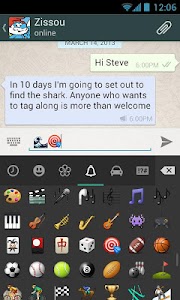
  • Share photos, video messages, voice messages, locations, stickers and emoticons
  • Download stickers and animated stickers from the Sticker Market; sort and reorder your stickers.
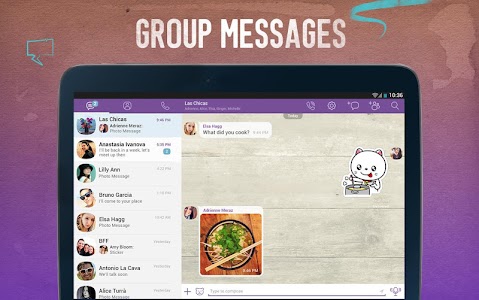
  • Create group messages with up to 100 participants; become an Admin and manage your group chats – edit info and delete participants
  • Follow Public Chats – get on the inside with your favorite personalities; watch their conversations unfold in real-time, ‘like’ comments and share multi-media content
  • Play games with Viber characters, Violet and Legcat; see how many coins you can earn
  • Android Wear support – send and receive messages from your watch
  • Push notifications guarantee that you never miss a message or call, even when Viber is off
  • Integration with native contact list for calls and messages
  • Support for the Viber Desktop application on Windows and Mac

Localized to: Arabic, Catalan, Chinese (SP), Chinese (TR), Croatian, Czech, Danish, Dutch, Finnish, French, German, Greek, Hebrew, Hindi, Hungarian, Indonesian, Italian, Japanese, Korean, Malay, Norwegian, Polish, Portuguese (BR), Portuguese (PT), Romanian, Russian, Slovak, Spanish, Swedish, Tagalog, Thai, Turkish, Ukrainian and Vietnamese Viber is completely free with no advertising.


Screenshot:


Viber v5.4.0.2519Viber v5.4.0.2519Viber v5.4.0.2519Viber v5.4.0.2519

Opera browser for Android v29.0.1809.92697
Opera browser for Android
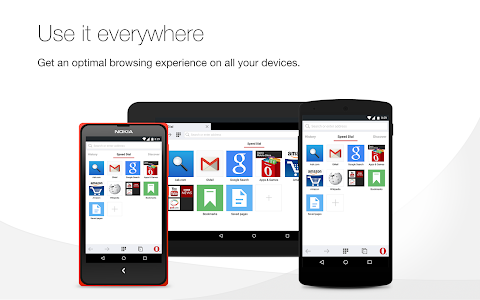
Get the best mobile browser for Android. Opera looks great, loads pages super fast, and keeps you safe on the web. Sync and share: Do more with Opera for Android. Now, you can sync your phone’s tabs and bookmarks with your tablet or computer. It’s easier than ever to take all that you find fun, interesting or just plain entertaining on the web with you. And, you can easily share your bookmarks with anyone on the web.


Search instantly, anywhere: Opera has just made searching even simpler. Depending on your device, either swipe up from the bottom edge in any app or long-press the home button to search the web. It's a quick, new way to search.

Stay online: Opera’s revamped Opera Turbo gets you online faster, even on slow or congested networks. If you are on a limited or a pay-as-you-go data plan, you can download more content, faster than ever, while staying within your plan’s limits.

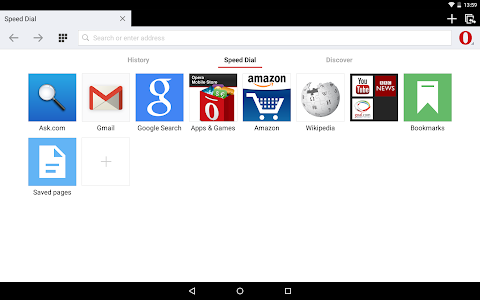
Keep it private: Use Opera’s private-browsing mode to go anywhere on the internet without leaving a trace on your device. Stay up to date: The Discover feature brings you the latest news, tech, sports and other content from world-leading magazines and newspapers, right in the browser. Organize your web: Speed Dial keeps the sites you love close at hand. Add your favorites simply by clicking the plus(+) symbol or click the heart icon to add pages directly to Speed Dial while you browse.

Download Opera for free and get all this:

  1. An interface that’s light, uncluttered, bright and easy to use
  2. Smart elements, like automatic page-sizing, that make browsing easier
  3. A stable, compatible app — more sites work better than ever in Opera

Screenshot:


Opera browser for Android v29.0.1809.92697Opera browser for Android v29.0.1809.92697Opera browser for Android v29.0.1809.92697

Subway Surfers v1.39.0
Subway Surfers

Subway Surfers is the most Loved, Played & Downloaded game on Android. Subway Surfers World Tour to Los Angeles is here. Help Jake, Tricky & Fresh escape from the grumpy Inspector and his dog. Subway Surfers is by Kiloo Games and Sybo Games.


Features of Subway Surfers

  • Grind trains with your cool crew!
  • Colorful and vivid HD graphics!
  • Hoverboard Surfing!
  • Paint powered jetpack!
  • Lightning fast swipe acrobatics!
  • Challenge and help your friends!
  • Join the most daring chase!

What’s New in v1.39.0

  • Follow Jake and the crew on the World Tour to Los Angeles
  • Explore the marvelous movie sets of Hollywood
  • Shine up your surfer cast with the spectacular Knight Outfit for Wayne
  • Surf the Subway without jumping or rolling to earn challenging Awards
  • Go on movie-themed Weekly Hunts to unlock great prizes


Screenshot:


Camera FV-5 v2.69
Camera FV-5

Camera FV-5 is a professional camera application for mobile devices, that puts DSLR-like manual controls in your fingertips ! Tailored to enthusiast and professional photographers, with this camera application you can capture the best raw photographs so that you can post-process them later and get stunning results. The only limit is your imagination and creativity.


Features

  • All photographic parameters are adjustable and always at hand: exposure compensation, ISO, light metering mode, focus mode, white balance and program mode.
  • DSLR-like viewfinder display: see exposure time, aperture and stops display with EV and bracketing settings.
  • Full fledged exposure bracketing: from 3 to 7 frames, unlimited stops spacing, plus custom EV shifting.
  • Built-in intervalometer: make stunning timelapses (even bracketed/HDR timelapses) and time-controlled picture series.
  • Program and Speed-priority modes.
  • Long exposure support: take beautiful night photos and light trails with long exposure times up to 60 seconds*.
  • JPEG as well as RAW (PNG) image formats for lossless photo capturing, perfect for post-processing.
  • EXIF and XMP sidecar metadata support.
  • Self timer for delayed shooting.
  • Autofocus, macro, touch-to-focus** and infinity focus modes, plus a focus lock switch (AF-L).
  • In background photo developing and processing allows a smooth, uninterrupted camera operation.
  • This camera application completely avoids scene modes, instead you get full manual control over all
  • photographic parameters, just like you do with a reflex camera, so you can ultimately control every aspect of
  • the picture, and leave the post-processing to the computer. So after your DSLR, you will never miss a photo
  • opportunity again, being able to capture it with the closer sensation to your DSLR as possible.

What’s in this version: (Updated : May 23, 2015)
  • Fixed: image parameters (saturation, sharpness and contrast) not being saved on some devices.
  • Fixed: issues with the HTC Nexus 9.
  • Improved: color management via image parameters.
  • Improved: general app speed when using the external SD card under Android 5 Lollipop or higher.

Screenshot:


Nova Launcher Prime v4.0.1
Nova Launcher Prime

The highly customizable, performance driven, home screen replacement.Accept no substitues! Nova Launcher is the original and most polished customizable launcher for modern Android.


Features

  • Ok, Google – Use Google Search’s hotword right from the home screen, just say the words Ok, Google.
  • Color Theme – Set the highlight accent color for the launcher
  • Also individual Color controls for labels, folders, unread count badges, drawer tabs and background
  • Icon Themes – Find thousands of icon themes for Nova Launcher on the Play Store
  • Subgrid positioning – Much greater control than standard launchers, Nova Launcher allows you to snap icons or widgets half way through the desktop grid cells
  • Customize App Drawer – Custom tabs, Vertical or Horizontal scrolling, Custom effects
  • Infinite scroll – Never far from your favorite page, loop through the desktop or drawer continously
  • Backup/Restore – Sophisticated backup/restore system allowing you to backup your desktop layout and launcher settings
  • Scrollable Dock – Create multiple docks and scroll between them
  • Widgets in dock – Place any widget in your dock, such as a 4×1 music player widget
  • Import Layout – No need to rebuild your desktop from scratch, Nova Launcher can import from most popular launchers. Including the one that came with your phone.
  • Fast – Nova Launcher is highly optimized to do it’s work quickly and quietly, keeping the animations smooth and letting you use your phone as fast as you can move your fingers.

Unlock the following extras by purchasing Nova Launcher Prime
  • Gestures – Swipe, pinch, double tap and more on the home screen to open your favorite apps
  • Unread Counts – Never miss a message. Unread count badges for Hangouts, SMS, Gmail and more using the Tesla Unread plugin
  • Custom Drawer Groups – Create new tabs or folders in the app drawer
  • Hide Apps – Keep a clean app drawer by hiding never used apps
  • Icon Swipes – Set custom actions for swiping on app shortcuts or folders
  • More scroll effects – Such as Wipe, Accordion, and Throw

What’s New

  • Lollipop Circle Folder Animation (Settings – Folder – Transition Animation)
  • Lollipop Scroll indicator (Settings – Desktop – Scroll Indicator)
  • Lollipop Icon Theme for Calculator, Clock, Contacts, Downloads, Email, Dialer, Settings and SMS (Settings – Look Feel – Icon Theme)
  • Preview of scroll effects in Settings
  • Optimizations and fixes

Screenshot:


MX Player Pro v1.7.39
MX Player Pro

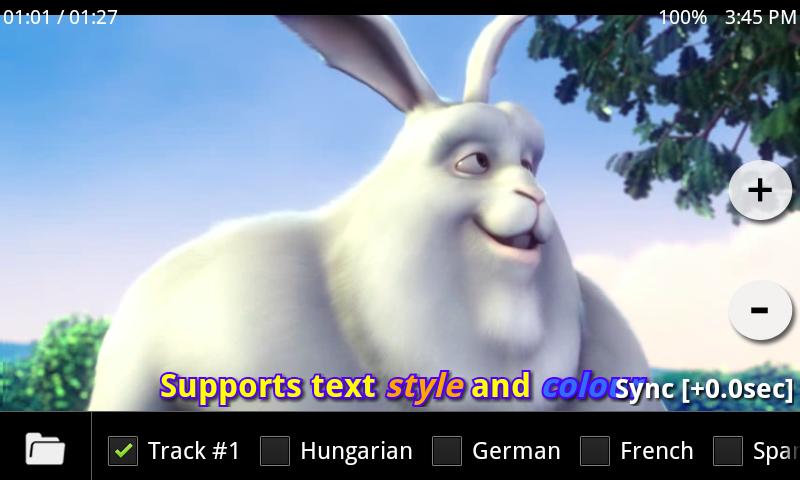
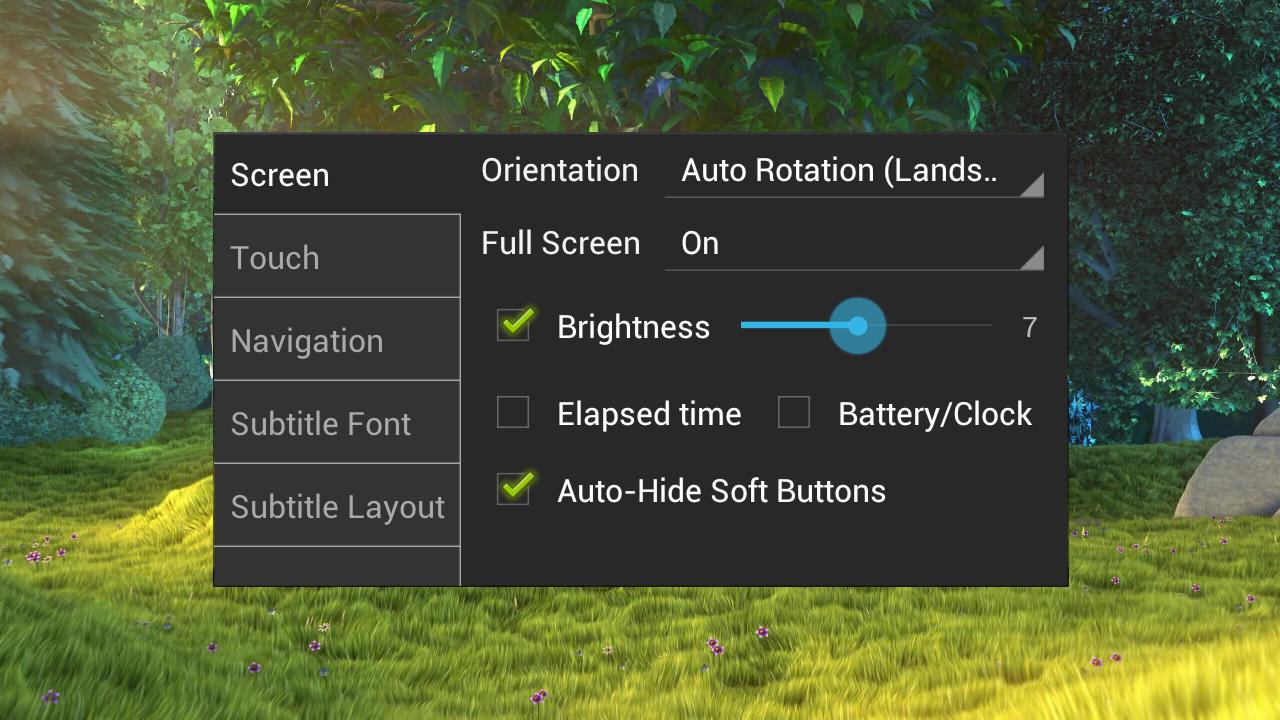
THIS IS THE AD-FREE VERSION OF MX PLAYER. MX Player – The best way to enjoy your movies. HARDWARE ACCELERATION – Hardware acceleration can be applied to more videos with the help of new H/W decoder. MULTI-CORE DECODING – MX Player is the first Android video player which supports multi-core decoding. Test result proved that dual-core device’s performance is up to 70% better than single-core devices.


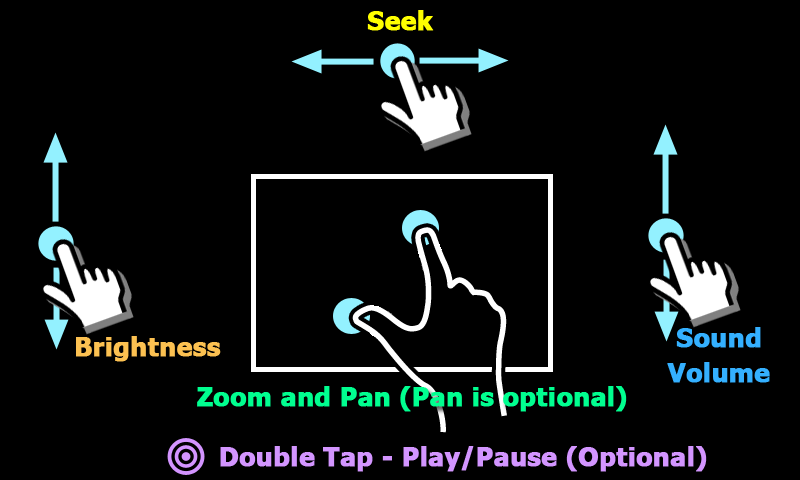
PINCH TO ZOOM, ZOOM AND PAN – Easily zoom in and out by pinching and swiping across the screen. Zoom and Pan is also available by option. SUBTITLE GESTURES – Scroll forward/backward to move to next/previous text, Up/down to move text up and down, Zoom in/out to change text size. KIDS LOCK – Keep your kids entertained without having to worry that they can make calls or touch other apps. (plugin required)


Subtitle formats

  • DVD, DVB, SSA/ASS Subtitle tracks.
  • SubStation Alpha(.ssa/.ass) with full styling.
  • SAMI(.smi) with ruby tag support.
  • SubRip(.srt)
  • MicroDVD(.sub/.txt)
  • SubViewer2.0(.sub)
  • MPL2(.mpl/.txt)
  • PowerDivX(.psb/.txt)
  • TMPlayer(.txt)
  • Teletext
  • PJS(.pjs)
  • WebVTT(.vtt)


Screenshot:


VideoShow Pro – Video Editor v4.3.0
VideoShow Pro – Video Editor

VideoShow Pro bring excellent video editing experience to you. With minumum operations, you can make awesome video with photos and videos. One video, various expressions. You can express yourself with video, photo, text, music, voice, filter effects, anything you want!


Key Features

  • Zoom and rotate your video as you want!
  • Intergrated video editor enviroment, What you see, is what you get!
  • The fastest video creator. Simple, without pre-transcoding.
  • Make video with photos! Mix video and photo together!
  • (New!) Add funny sticker to video. You can even draw a video!
  • You can add text to video. Multiple text can be added on your video, Adjust it with accurate timing, various colors.
  • Add beautiful effects to your videos. We support 10 filter including Beauty, Sepia, Sketch, etc.
  • Add your favorite music. You can also dub to video.
  • Trim video. It’s extremly fast.
  • Share your video to Youtube/Instagram/Facebook.

How to Install ?

  1. Download and Install APK From The Links Given Below
  2. Done, Enjoy

Screenshots:


Smart Launcher 3 Pro v3.05.7


Smart Launcher 3 Pro

Smart Launcher is an innovative launcher, minimalist design, low resource and user-friendly interface which allows you to launch any application in a few keys. Smart Launcher has been downloaded by over eight million of people!PRO version has a secondary screen where you can place widgets and includes a screen lock. There are also more transitions and colors to customize the home screen. By purchasing, you will contribute to the development of Smart Launcher and it will give you new features and updates.

Features!

  • Drawer organized by categories
  • Ready to use without further configurations.
  • Customizable lock screen.
  • Full support for API 4.4 (system transparent bars)
  • Live Wallpaper Support.
  • It supports every screen and device (Google TV too !!)
  • widget support (PRO version only).
  • Support of set of icons for ADW Launcher, Launcher Apex, Nova Launcher and Launcher Pro.
  • Possibility to change a single icon in the drawer.
  • You can hide Pressing every app you want an app by long, then select menu → Hide.
  • Quick search.
  • Dozens and Dozens of global themes, transpired, which will allow you to change all elements of the interface.
  • Easy access to apps info.
  • Designed to Used Comfortably also be in landscape mode.
  • Option to hide the statusbar.

IO Launcher (Lollipop + iOS 8) Prime V 3.0

IO Launcher Prime

IO Launcher is a perfect Lollipop + iOS 8 style launcher, Smooth, Smart, Small.This is a prime key to unlock all the prime features of IO Launcher.

Main Features

  • Combine the best part of Android 5.0 Lollipop and iOS 8, give you a Clean, Smooth, Powerful launcher experience
  • Smart and nice folders
  • Auto category apps to folders; iOS 8 style folder; nice opening/closing animation
  • Smart apps
  • Suggest you the right apps at the right time
  • Handy sidebar
  • Include Cleaner, Torch, Favorate app, Recent app and more
  • Many themes
  • Many online icon packs for your choice; and support 5000+ third-party icon packs
  • Edit mode
  • What you see is what you get, manage your screen easily
  • Quick all apps
  • To make launcher simpler, there is no traditional app drawer, instead, we provide a quick all apps, you can swipe up to open apps, to search apps, or to locate app quickly
  • Personalization
  • There are 200+ options to customize launcher to what you like
  • Wallpaper :
  • Many cloud wallpaper to satisfy your feel
  • Userful tools
  • Switcher, Power Saver, Boost, all you need to help manage your devices well

KK Launcher (Lollipop & KitKat) Prime V6.3

KK Launcher Prime

KK Launcher is the Top 1 Lollipop & KitKat style launcher; Most Fast, Cool, Powerful, and AD Free.KK Launcher target usersWho want latest Android experience, clean and modern designWho want smooth operation, handy featuresWho want their phones to be more powerful and playful

What make KK Launcher outstanding comparing to other launcher?
KK Launcher have 20+ unique,COOL and useful features: such as Sidebar, Super folder, Private folder, App Lock, Double tap to turn off screen.
Compare to Nova Launcher(or Apex Launcher,Solo Launcher), KK launcher base on KitKat, has latest Android UI and UE; while Nova Launcher base on ICS.
Compare to Google Now Launcher, KK launcher has all of its features, adding many useful features.

KK Launcher Prime Features

  • Private folder; Super folder
  • App Lock
  • Double tap to turn off screen, triple tap to turn on
  • More Unread Counts/Notifier
  • More gestures; Icon gestures
  • More transition effect
  • Etc…

How to install ?

  1. Download & Install KK launcher Prime Apk.
  2. When KK launcher Prime Apk will be installed then not open it.
  3. Download KK launcher Prime Apk unlocker & install it & open
  4. Open the app.
  5. Done.

Pic Collage v4.18.7 APK


Pic Collage

Pic Collage is THE coolest collage-maker in town! Join 80 million people who use PicCollage to combine photos, Youtube videos, funky fonts, sassy stickers and cute cutouts to create the prettiest collages you’ll ever see on a mobile device. We have stickers from Maroon 5, Beats Music, Universal Pictures, and LA-based independent designer, Sara M. Lyons. Check out our Contests section and create a visual response instead of just a plain text response. Share with your friends and followers on Instagram, Facebook, Twitter, and iMessage. You can also PRINT your collages into greeting cards or postcards to send to your loved ones anywhere in the world!

Awesome features :

  • Import photos from your photo Gallery, Facebook and web image search
  • Import your favorite videos from YouTube
  • Simple touch gestures to rotate, resize, flick to delete
  • Double-tap a photo to edit photo with Aviary photo effects, clip photo, adjust borders, copy/paste images
  • Just tap on the lower-left Frame icon, and swipe to select a frame to make an instant collage!
  • Clip photos by outlining the area you want with your finger
  • Lots of backgrounds and stickers to choose from!
  • Share your creations to Instagram, Facebook, Twitter

How to Install?

  1. Download the apk from the link given below
  2. Copy to your android phone
  3. Install as usual
  4. Done and Enjoy! 

Author Name

Biểu mẫu liên hệ

Tên

Email *

Thông báo *

Được tạo bởi Blogger.